
Digital Intake & Patient Portal
WealMD combines configurable portal settings with digital intake questionnaires, forms and patient-linked communication. Clinic teams review submissions, verify patient details and convert approved leads into charts. Patient-chart messaging is marked Beta; confirm the portal functions enabled for your practice.
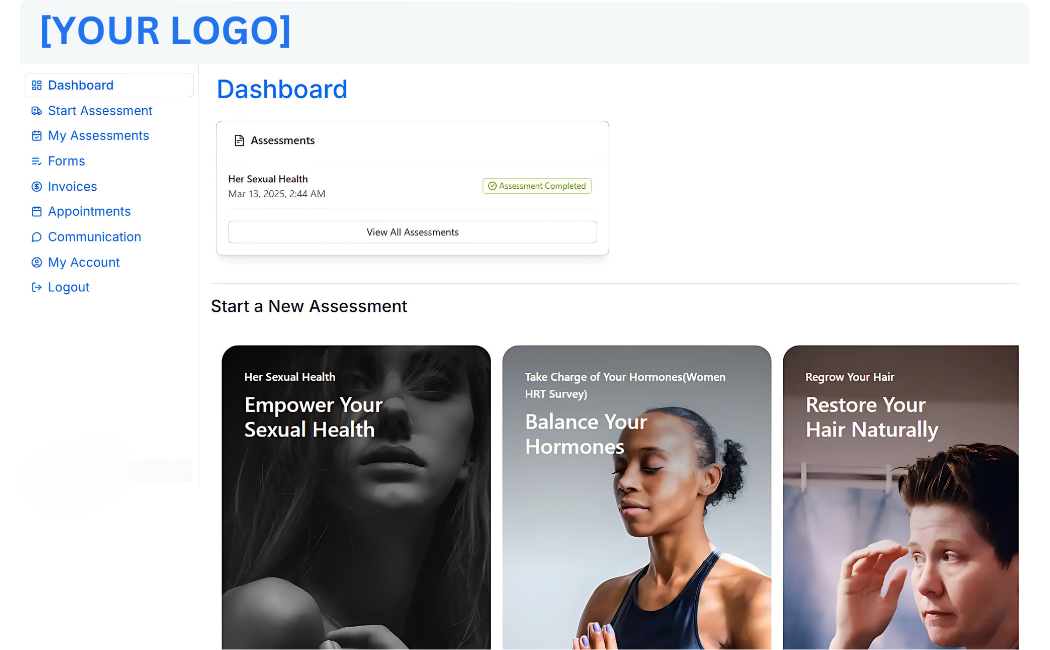
What can your team do with WealMD?

Portal Access Settings
Configure patient-facing portal access for your practice. Review account setup, staff permissions and the information exposed to patients during the demo.

Online Booking Configuration
Enable portal booking options to fit your appointment workflow. Coordinate them with the clinic calendar.

Custom Intake Questionnaires
Build surveys using text, choice, rating, matrix and file-upload questions to collect information before a consultation.

Forms & Consent Requests
Dispatch form requests, track completion and archive signed consents in the patient chart.

Invoice Workflow Settings
Review online invoicing and payment configuration alongside clinic billing tools. Confirm patient-facing billing options during setup.

Intake Status Review
Track leads through completion, review, approval and scheduling stages. Staff can inspect the submitted question-and-answer record.

Patient Messaging (Beta)
Patient-chart messaging is marked Beta in the specifications. Ask which communication features are enabled and how your clinic will manage replies.

File Uploads & Identity Review
Collect uploads through supported form questions and review identity information in the intake workflow. Confirm document handling requirements with the team.

Lead-to-Patient Conversion
Review demographics and assessment responses before approval. Convert an approved lead into the patient chart and configure any associated invoice trigger.
See Your Workflow in WealMD
Bring your intake questionnaire, consent process and patient-facing booking or billing requirements to the demo. Review all WealMD features or book a demo to confirm your clinic’s configuration.