
Clinic Billing & Payments
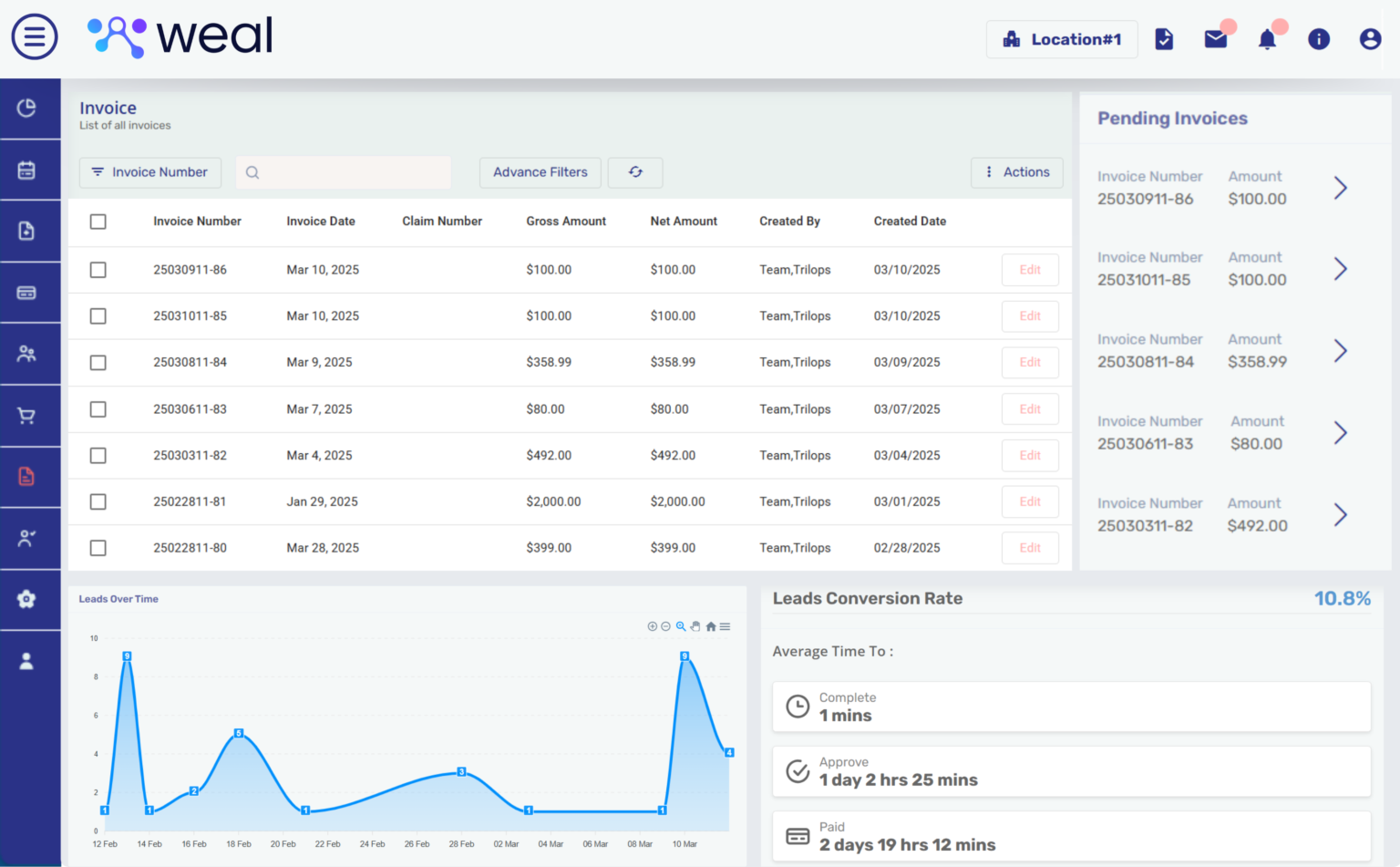
WealMD connects patient records, itemized invoices and payment tracking for HRT clinic teams. Use the four-step invoicing workflow to select a patient, add line items, review totals and record payment. Explore related financial reports to review collections.
What can your team do with WealMD?

Four-Step Invoice Builder
Select the patient, add services or products, review the invoice and proceed to payment or a pending balance.

Connected Payment Gateways
Review payment gateway options and confirm the merchant setup and payment methods enabled for your practice during the demo.

Patient & Billing Profiles
Link invoices to the patient chart and relevant billing information. Review your private-pay and insurance-related workflow with the team.

Itemized Services & Products
Choose the service or product, quantity, unit and unit price. Review calculated line totals before saving the invoice.

Payment Records
Review payment histories and invoice balances in the patient record. Use gateway and date filters in payment reports.

Tax & Discount Settings
Configure tax percentages and percentage or flat-value discounts for relevant items. Your team remains responsible for selecting appropriate settings.

Invoice Status Tracking
Track draft, pending, partially paid and paid invoices in the billing ledger and review outstanding balances.

Statements & Invoice Dispatch
Produce itemized invoices and financial statements. Configure invoice dispatch within your approved patient billing workflow.

Available Claims Integration
Discuss electronic claims integration, supported workflows and the configuration needed for your clinic.
See Your Workflow in WealMD
Bring your service catalog, invoice examples and payment or claims requirements to the demo. Review all WealMD features or book a demo to confirm your clinic’s configuration.