
Patient Records & Clinical Notes
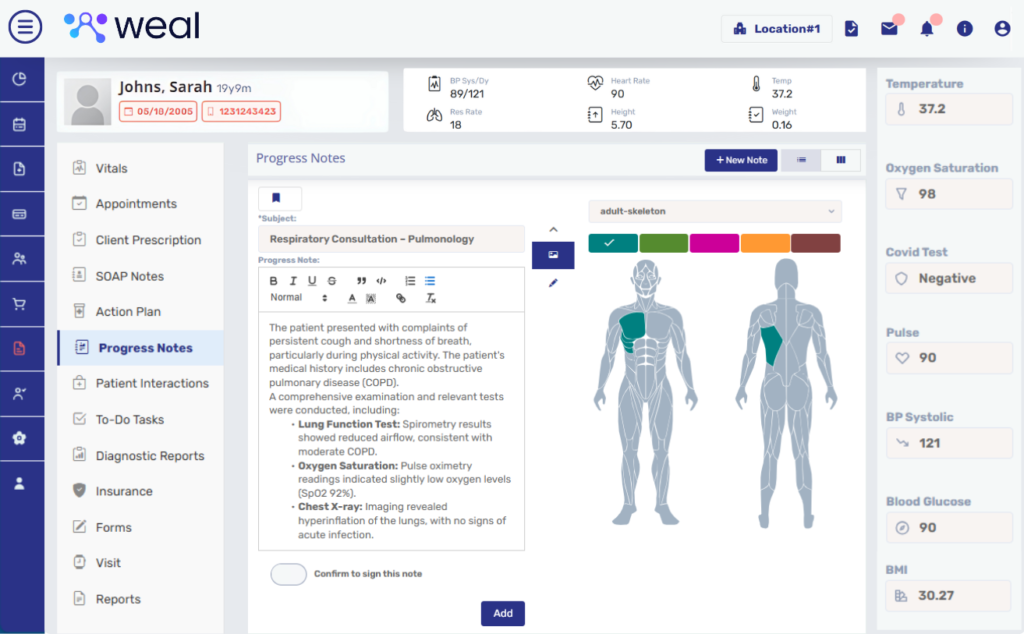
WealMD brings patient demographics, vitals, allergies, medications, documents and visit notes into one chart. HRT clinic teams can review the patient history, work with SOAP templates and coordinate follow-up with assigned clinical tasks.
What can your team do with WealMD?

Unified Patient Chart
Review clinical records, orders, patient profile information and administrative documents in the chart’s four main areas.

Digital Forms & Consents
Collect intake questionnaires and track form requests and signed consents. See how digital intake and portal settings fit your clinic.

Vitals & Trends
Record vital signs and review historical readings and trend graphs alongside allergies and active medications.

Encounter History
Review appointments, signed notes and prior encounters to understand the patient’s documented history.

SOAP & Progress Templates
Use customizable SOAP and progress-note templates. Demographic tags can insert patient and location details into the note.

Search & Duplicate Review
Search patients by name, ID, phone or tags. Review potential duplicate records using the available location and matching filters.

Access Controls & Audit Records
Assign staff permissions through roles. Audit records track patient-chart access, sessions, database changes and screen activity.

Clinician Review & Sign-Off
Clinicians review and sign encounter notes. Patient-linked lab-review and prescription tasks help coordinate work with the care team.

Reference Documents
Attach external records, lab reports and consent documents to the chart. Review document access and sharing requirements during your demo.
See Your Workflow in WealMD
Bring a de-identified example of your note structure, intake forms and review process to the demo. Review all WealMD features or book a demo to confirm your clinic’s configuration.